
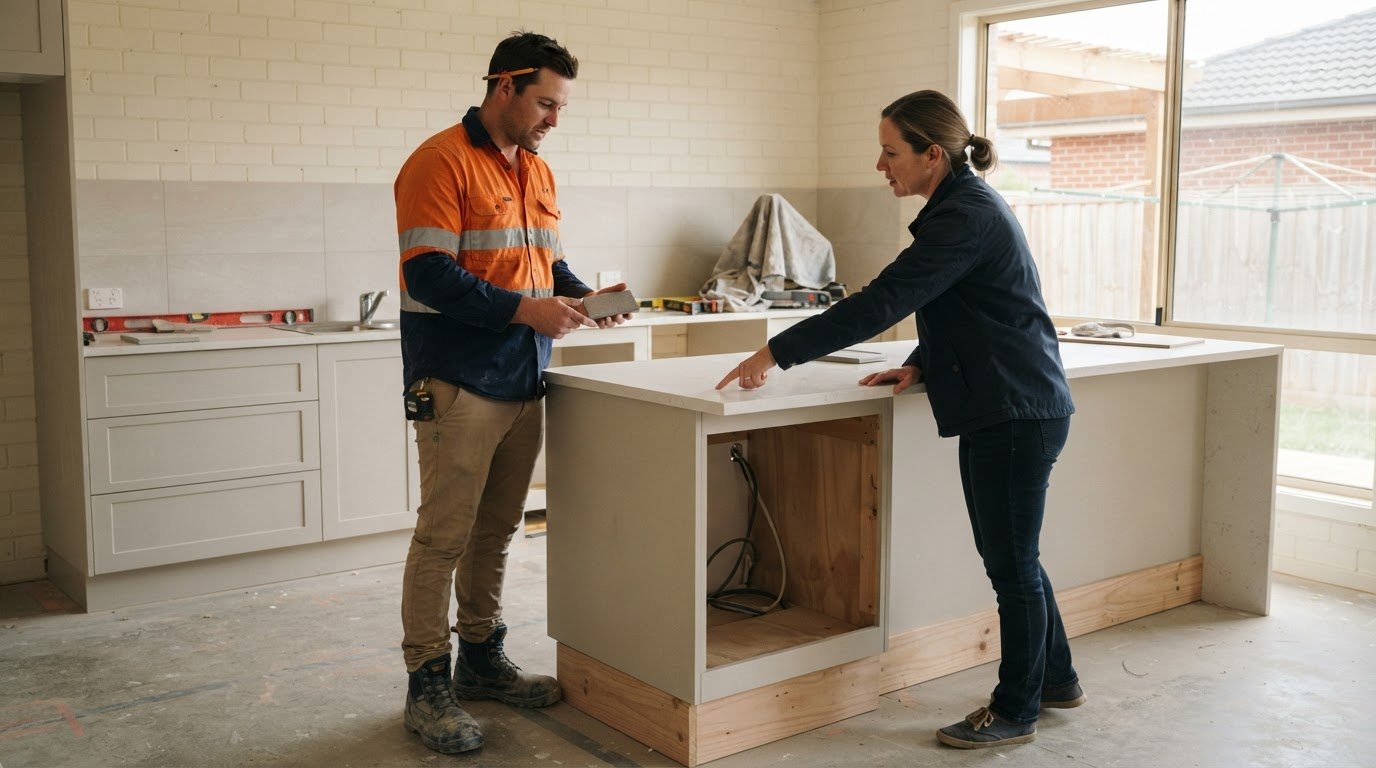
Client communication systems for builders to manage requests
A reliable client communication system for builders keeps requests, decisions, approvals and updates in one clear record. Agree at the start how and when you’ll communicate, then set a regular update rhythm, such as weekly progress updates. This gives both sides a shared view of what’s happening and what needs a decision.
When you’re managing trades and timelines, a request sent by text or a decision made during a quick call can easily get missed. Clear communication helps prevent misunderstandings and keeps clients informed, especially when plans change or delays arise.
This guide explains why builder-client communication matters and how to record requests, confirm variations, communicate delays and agree on useful updates. You’ll also learn what to look for in a system, from written records to a shared digital hub, so you can choose an approach that suits how your building business works.
Key Takeaways
- Give clients regular progress updates that explain completed work, upcoming tasks and any decisions needed.
- Record requests, approvals and variations in writing so the agreed scope, costs and schedule changes are clear.
- When delays arise, explain the cause, likely impact and practical next steps in a timely update.
- Agree on update frequency, communication channels and what each update should cover at the start of the project.
- Choose a system that keeps messages, decisions and project records organised, with a clear point of contact for client queries.
1. Why is Good Communication Important Between the Builder and Client?
Clear communication gives homeowners a reliable view of progress, decisions and next steps. A client communication system for builders can bring messages, photos and project records together, reducing the risk of an important request getting buried in a text thread. It also gives the builder and client a shared record when plans change.
Set a predictable update rhythm instead of waiting for clients to ask what’s happening. Weekly progress updates give homeowners a regular view of the build, while a formal update around fortnightly can provide a useful construction summary. Add extra updates at key milestones, such as when a client decision is needed before work can continue.
Make each update specific. Cover work completed over the past two weeks, what’s planned for the next couple of weeks and the longer-term forecast. Clearly flag decisions needed, who needs to make them and when they affect the programme. For example, an update about tile selection can state the decision required and the stage of work it affects.
Photos help homeowners follow visible progress between site visits. A progress photo can take 30 seconds to capture and show what’s been completed. Pair each image with a short caption identifying the area, stage and coming work. A construction portal can also give homeowners 24/7 access to schedules, photos, documents and messages.
Connect site activity to project management in progress reports. Compare completed work with the agreed programme, then explain any variance and the next step. Include budget tracking, financials, variations and their reasons, safety matters, Inspection Test Plan completions and relevant stakeholder information. This helps clients understand how schedule and budget decisions relate to progress.
Reports and photos can also keep stakeholders informed. A project manager can share completed stages and planned activities with relevant stakeholders, giving them a consistent account of the build. Keep each update focused on what has changed, what’s coming and whether anyone needs to act. This makes the information useful beyond the immediate builder-client conversation.
In Australia, protect client details, messages and site photos with controlled access, secure storage and careful handling. Privacy obligations depend on the business and the information it holds, so identify the requirements that apply before choosing where to store records.
Unresolved decisions can affect scheduling or stop work from progressing. Regular updates make the next action visible, help homeowners respond in time and give the builder a clearer record of project status. When the programme or budget shifts, explain why and state the practical next step in the same update.
2. Recording variations, approvals and client requests in writing
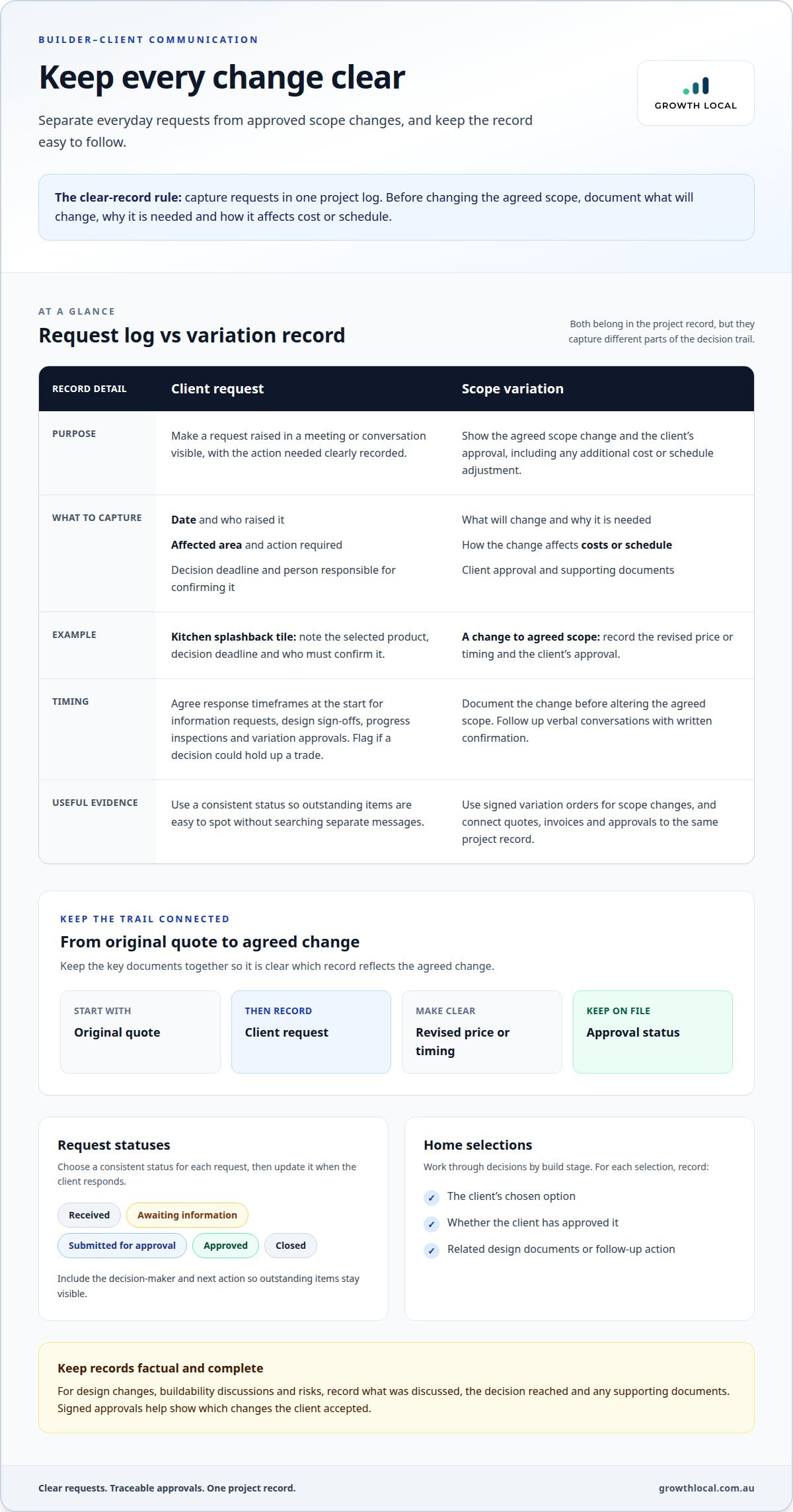
A request made during a site meeting can be forgotten once everyone returns to work. Record each request in one project log, including the date, who raised it, the affected area and the action required. For example, “change kitchen splashback tile” is clearer when paired with the selected product, decision deadline and person responsible for confirming it.
Agree on response timeframes at the start of the project for requests for information, design sign-offs, progress inspections and variation approvals. The right timeframe depends on the decision and its effect on work sequencing. If a selection could hold up a trade, flag that link in the request record so the client understands why a timely response matters.
Before changing the agreed scope, document what will change, why it’s needed and how it affects costs or the schedule. Builders are advised to use signed variation orders for scope changes and record client approval for additional costs or schedule adjustments. Follow up verbal conversations with written confirmation, then attach the approval to the relevant variation.
Keep quotes, invoices and variation approvals connected to the same project record. A clear sequence might show the original quote, the client’s request, the revised price or timing and the approval status. This helps the builder identify which document reflects the agreed change and keeps invoices aligned with approved work, rather than informal discussions.
Home selections benefit from a staged approval process. Present the decisions needed for each build stage, record the client’s choice, then note any related design documentation or follow-up action. For example, a finish selection should identify the chosen option and whether the client has approved it. This keeps homeowners informed and gives the team a useful record as work progresses.
Use a consistent status for every request, such as received, awaiting information, submitted for approval, approved or closed. Add the decision-maker and next action, then update the record when the client responds. This makes outstanding items visible without relying on someone to remember a conversation or search through separate messages.
Design changes, buildability discussions and risks can have legal implications, so keep records factual and complete. Capture what was discussed, the decision reached and any supporting documents. A clear written trail helps both parties understand how later requests relate to the original agreement, while signed approvals show which changes the client accepted.
3. Communicating delays and offering solutions
A delay is easier to manage when the client hears about it early, with a clear explanation and next step. Watch for warning signs such as weather disruption, material supply issues, permit hold-ups or a decision blocking scheduled work. Once a potential or definite delay becomes apparent, notify the client in writing. Early notice gives them time to understand the impact and respond to decisions that may affect the programme.
Before sending an update, take time to understand what has happened. Check the affected work, speak with the relevant trades and map which upcoming tasks depend on it. A guide recommends taking an hour to understand a problem before contacting a client with incomplete information. This doesn’t mean delaying notice: share the confirmed issue promptly, then explain which details you’re still assessing and when you’ll provide the next update.
Keep written updates practical. State the cause, affected work, likely schedule impact and action being taken. For example, if a material delivery is late, explain which task depends on it and whether the team can progress another area first. If the issue changes the agreed scope, cost or timing, record it as a variation and explain what approval is needed before proceeding.
A hidden problem can affect both cost and timing. Treat figures like these as specific to that example, not a standard estimate. For a real project, document the site findings, proposed remedy and updated schedule before discussing the financial effect.
Offer options where site conditions and the programme allow. A builder might resequence unaffected work, identify an alternative material or explain why the original specification remains the practical choice. Set out the trade-offs clearly, including any effect on quality, timing or approvals. Record the client’s decision and the agreed next action so later messages reflect the same plan.
To avoid creating extra problems, don’t rush work to recover lost time without checking the impact on quality and site safety. Rushing can lead to mistakes, rework, defects or potential workplace health and safety incidents. Review the revised sequence with the people doing the work, then give the client a realistic update rather than an unsupported completion date.
Support revised timeframes with evidence, such as details from previous projects or relevant industry data. Where appropriate, reports on defects issued by the NSW Building Commission can inform discussions about realistic expectations. Keep each message, site finding and resolution in the project record. A consistent document trail helps everyone understand what changed, what action followed and how the team plans to complete the remaining work.
4. Agreeing on update frequency, methods and goals
Set expectations at the project start, while the client and contractors can agree on a workable routine. Decide how often updates will arrive, which channel they’ll use and what each update must cover. For example, agree whether schedule changes will be sent by email while site photos go in a shared project record. A clear plan makes communication predictable and helps prevent missed messages.
Choose an update rhythm that reflects the build stage. Weekly emails covering scheduling and materials can help during pre-construction. During active construction, twice-weekly photo updates and a weekly summary offer different levels of detail. In the finishing phase, daily or every-other-day updates may suit the faster sequence of final tasks. Adapt these schedules to the project’s needs.
Make the schedule specific enough to follow. For example, set a photo update for every Friday by 3 PM, then name the person responsible for preparing it. Include completed work, upcoming activities and decisions needed. A weekly update can take 10 minutes to write when the information is already organised, but accuracy matters more than speed.
Match the method to the message. Email works well for a written summary or decision record; a call or meeting can help explain a complex issue. A shared digital system can keep schedules, reports and photos together. Agree on which channel holds the formal record, so contractors and homeowners know where to find the latest information.
Automation can reduce repetitive admin without replacing project judgement. Use approved templates for routine updates and set reminders for scheduled reporting or overdue client decisions. Before sending, have the responsible person check that dates, progress and next steps are current. For example, a reminder can prompt Friday’s update, while a site lead verifies the details first.
Set a goal for each update, such as informing homeowners, collecting a decision or flagging a programme change. This keeps messages useful instead of adding volume without context. Ask clients which details help them stay informed, then record the agreed approach at the project start. A brief check-in at a milestone can reveal whether the frequency or channel needs adjusting.
Review the routine when the build enters a different stage or a communication mistake occurs. If a client misses a selection deadline, check whether the request reached the agreed channel and whether its due date was clear. Update the process, assign the next action and confirm the revised expectation in writing. This keeps transparency practical and gives each update a clear purpose.
5. Communication systems for builders
A client communication system for builders should make project conversations easy to find and act on. Choose one central record for client messages, decisions, documents and current project information. Email, phone calls and face-to-face meetings can still play a part, but record important outcomes in the shared system so everyone has the same information.
Builder-client communication software costs in Australia vary according to the subscription model, user numbers, project volume, storage and setup requirements. Ask for a quote that reflects these factors, then compare the features with the work your team needs to manage.
Start with the core features: a project schedule, progress updates, photos, documents, selections and a record of client approvals. A clear communication system should also help staff identify outstanding requests and who is responsible for the next action. For example, a selection marked as awaiting approval is easier to follow up than a note buried in an inbox.
To share schedules and progress photos, update the relevant project record and organise files by stage or location. Caption each photo, for example, “frame complete, ensuite”, and explain what it shows. Record selections alongside the relevant room or finish, then note whether the homeowner has approved the choice. This gives clients and contractors useful context without relying on scattered conversations.
Email, messaging apps and spreadsheets can work for simple exchanges, but information may end up split across channels. A message can be missed, an old spreadsheet can circulate or a phone decision can go undocumented. These gaps make it harder to tell which schedule, selection or approval is current, especially when several people handle a project.
Keep the system practical for site teams. Use agreed project names, consistent file labels and one clear place for the latest schedule. Give the team a simple routine: add new information, record the decision and assign the next action. If a conversation happens on site, capture its outcome before it gets lost among other jobs.
Clear communication is the foundation; software should support it, not replace it. Choose a system that suits how your contractors and homeowners share information, then review its use at a project milestone. A reliable process helps the team explain changes, find current records and carry decisions through to completion.
Meet client communication needs with a mix of written communication, such as emails, contracts and progress reports, and in-person meetings or calls. Assign a primary point of contact for client queries, and keep communications in writing where possible through emails, texts or project apps. Construction project communication can also use shared digital information management systems, cloud-hosted progress meetings and onsite meetings.
Document project issues and their resolutions in writing. Explain construction processes in plain language, and use visuals to clarify complex concepts.
Growth Local: Lead Generation System Setup
Growth Local’s Lead Generation System Setup can help builders organise how new enquiries are captured and followed up. If prospective client details are scattered across inboxes, calls and notes, a lead generation process gives your team a clearer way to manage incoming opportunities. CRM Setup can help organise prospect information as conversations progress. These systems complement a project communication process, but they don’t replace clear records of client requests, approvals or build updates.
If your enquiry follow-up needs a more organised process, visit Growth Local to discuss the next step for your business.
Build a communication process your team can keep using
Choosing a client communication system for builders is only the first step. Lasting improvement comes from making it part of everyday work, with clear ownership for updating records and following up on decisions. Start with one project workflow, identify where information still gets missed, then refine the process before extending it across the business.
Growth Local’s CRM Setup and Marketing System Setup can help organise customer information and business processes around your needs. They’re a practical next step if your team also wants more structure in managing enquiries and customer records.
Choose the workflow that causes the most friction, agree who owns each step and make the next action easy to follow. A steady, well-managed process gives your team a stronger foundation for growth.
Keep improving the process as your business grows. Small, consistent changes can make communication easier to manage across the team.
Frequently Asked Questions
Why is Good Communication Important Between the Builder and Client?
Good communication helps builders and homeowners spot mismatched expectations before they become disagreements. For example, a client may think a quoted finish includes a particular fitting, while the builder has allowed for a different one. A clear conversation can surface the difference before installation. A client communication system for builders also gives the team a practical way to connect each query with the right project and person, rather than relying on memory.
What are the best client communication platforms for Australian builders?
The best platform is one your team and clients will use consistently. Compare options by how they organise project conversations, share files, control access and keep records easy to retrieve. A project portal may suit clients who want a dedicated place for build information, while email remains useful for formal correspondence. Before choosing, map a typical client journey, from first enquiry through handover, and check that the system supports each communication stage.
What are the steps to set up a client communication system for a building business?
Start by mapping how a typical job moves from enquiry to handover, then identify where information gets lost. Choose a central record, assign a team member to maintain it and set rules for naming projects, saving files and recording decisions. Test the workflow on an active project before rolling it out across the business. Ask the staff using it to flag confusing steps, then refine the process and share the final instructions with the team.
How can builders keep clients informed and reduce disputes during construction?
Give clients a consistent record of what was agreed, what has changed and what evidence supports the current plan. After a site meeting, send a brief note listing attendees, key decisions and unresolved points, then invite corrections if the summary is inaccurate. Keep relevant drawings, selections and site photos attached to the same project record. If a disagreement arises, refer to the dated documents and address the specific point calmly before it affects the working relationship.


