
Best CRM for Solar Installers: Manage Leads & Projects
Yes, there are CRM platforms built for solar installers to manage leads and projects. If you’re asking whether there’s a CRM built specifically for solar installers to manage leads and projects, the answer is yes: solar-focused systems can bring sales follow-up and installation workflows together. The right fit depends on how well it handles your team’s day-to-day process, not just how many features it lists.
When enquiries, customer details, site assessments, quotes and installation schedules sit in separate tools, it is harder to keep jobs moving and ensure everyone has the information they need. A CRM can give office and field teams a shared view of each customer’s progress, from first contact through installation and support.
This guide explains what a solar CRM does and how to compare specialist platforms with general systems. Learn what to look for in lead management, scheduling, project tracking, mobile access and integrations so you can choose a system that fits your workflow and supports your next stage of growth.
Key Takeaways
- Choose a CRM that follows a solar job from first enquiry through sales, scheduling and installation, rather than stopping at lead tracking.
- Map your current hand-offs between office and field teams to spot where customer details or job updates get lost.
- Compare platforms on quoting, scheduling, mobile access and integrations, then prioritise the tools your workflow actually needs.
- Keep project stages, owners and next actions visible so your team can coordinate work and move jobs forward.
- When your systems need to work together more smoothly, CRM setup and solar CRM setup can help organise lead and project management around your process.
How can CRM software improve efficiency for solar panel companies?
CRM software can improve efficiency by linking lead follow-up, customer communication and project records. For solar companies, the practical benefit is fewer hand-offs and clearer ownership at every stage.
A typical sales journey moves from lead to follow-up to sale. Automation can assign a new enquiry, create a follow-up task and record the outcome, reducing reliance on memory or scattered messages. For example, a lead needing a site assessment can move to a new stage, with notes and the next action visible to the team.
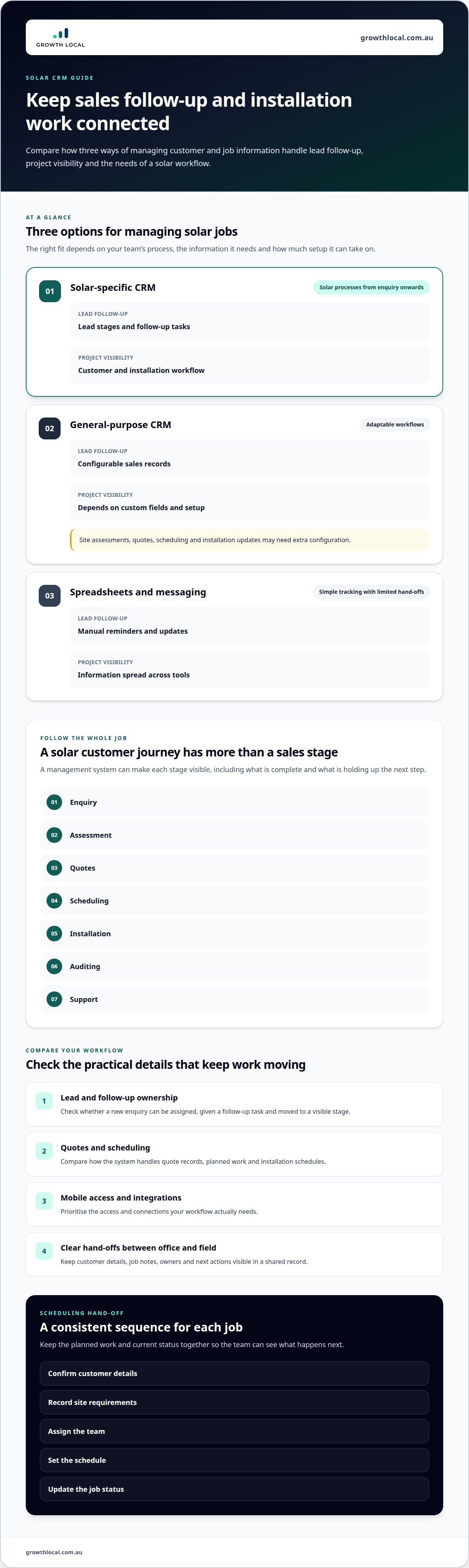
Solar work continues beyond the sale. The customer journey may include an enquiry, assessment, quotes, scheduling, installation, auditing and support. Setting up these stages in a management system helps staff see what is complete and what is holding up the next step. A consistent process also makes customer updates easier to plan, from confirming an assessment to sharing a quote.
Centralised Customer and Vendor Data
A central record brings customer details, quote history, job notes and vendor information together. This differs from automation, which moves work between stages: centralised data gives office and field staff the same information to act on. Canadian Solar found that a centralised CRM platform made it easier to communicate data with key photovoltaic project stakeholders in real time worldwide.
Keep records useful by linking each customer to their project, relevant vendor details and the latest communication. Staff can then find the context behind a job without piecing together email threads and messages. The Spam Act 2003 is relevant to email communications compliance in Australia, according to the Federal Register of Legislation.
| Option | Lead follow-up | Project visibility | Best suited to |
|---|---|---|---|
| Solar-specific CRM | Lead stages and follow-up tasks | Customer and installation workflow | Solar processes from enquiry onwards |
| General-purpose CRM | Configurable sales records | Depends on custom fields and setup | Businesses with adaptable workflows |
| Spreadsheets and messaging | Manual reminders and updates | Information spread across tools | Simple tracking with limited hand-offs |
Choose a system that keeps lead records and installation updates connected without adding unnecessary manual steps.
The right plan depends on the features and workflow your solar business needs.
Limits of General-Purpose CRMs
A general-purpose CRM can track contacts and sales, but solar projects may need more than standard sales fields. Site assessments, quote records, scheduling and installation updates may require extra configuration. The risk is a system that records leads well but leaves project coordination in separate tools, creating duplicate entry and gaps between office and field teams.
Before adopting a system, map a sample job from enquiry to installation. List the information needed at each stage, then identify where staff would still rely on spreadsheets or messages. Customising a general CRM can also require ongoing consultant work, so compare the effort of adapting a broad platform with setting up a solar-specific workflow.
Installation scheduling and team allocation
A solar installation schedule connects sold jobs with crew availability, site requirements and the next action. A shared platform helps coordinators spot clashes before they disrupt a planned installation.
Scheduling with a shared schedule board
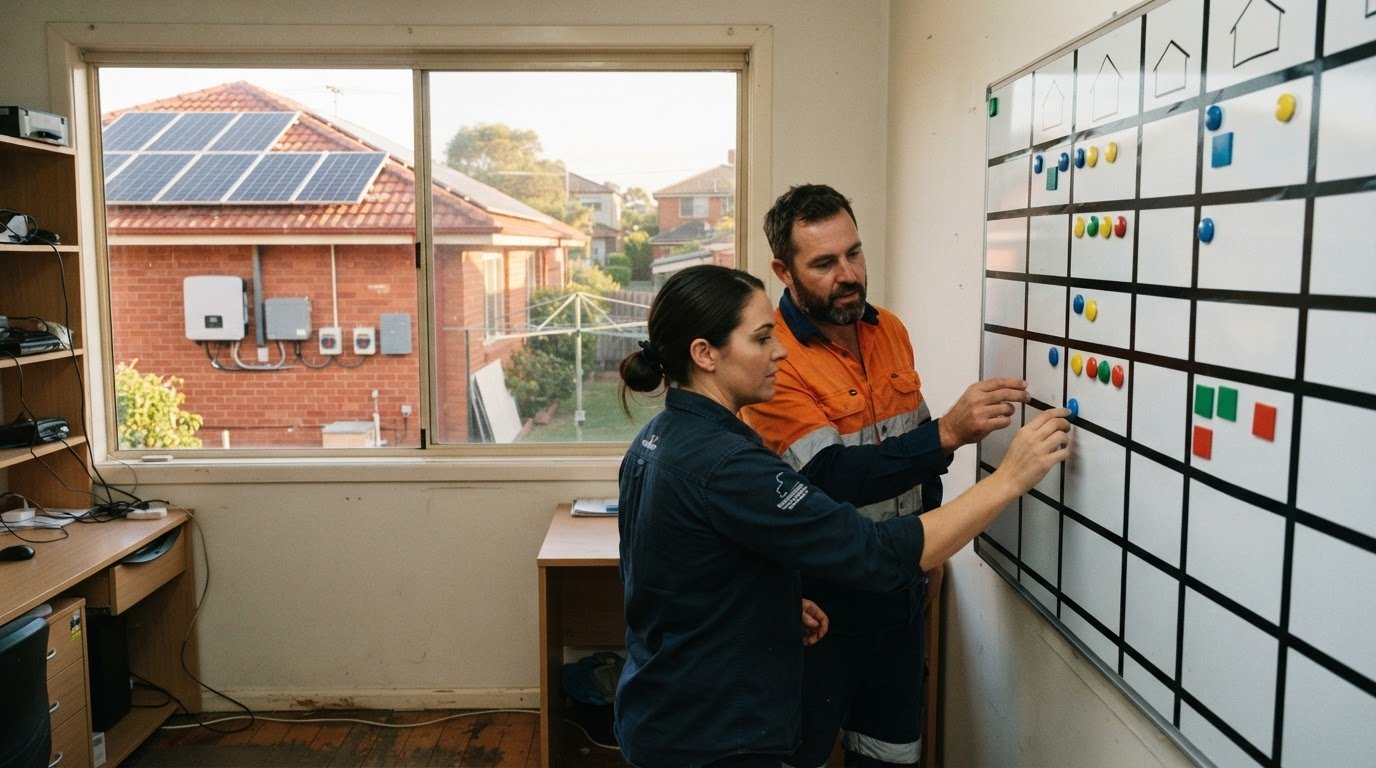
An interactive schedule board gives the office a visual view of upcoming jobs and assigned teams. For example, a coordinator can move a job if a site assessment changes the plan, then update the crew’s schedule. The team can see which jobs are booked, underway or waiting for action.
Build the board around practical information, not just dates. Each job record can show its address, assigned crew, planned work, relevant notes and current status. This helps the office identify missing details before confirming a booking. It also makes schedule changes easier to communicate than updating separate spreadsheets and sending multiple messages.
Connecting job scheduling to project management
Scheduling works best when it follows the job through the sales pipeline. Once a customer accepts a proposal, the record can move into planning and then to a scheduled installation stage. The coordinator can capture the planned date, team allocation and outstanding preparation in one job view, making the hand-off from sales to operations clearer.
Use a consistent sequence for each job: confirm customer details, record site requirements, assign the team, set the schedule and update the job status. If something changes, update the shared record so staff are not working from an old spreadsheet or message. A CRM should make the next action visible rather than leave the team to reconstruct progress from separate tools.
Keep the schedule connected to the customer relationship. If a customer calls about a booking, staff can see the planned date and relevant job notes before responding. If the team needs to reschedule, the coordinator can record the change and reason, then ensure the updated plan reaches the people handling the job.
Allocating teams and managing changes
Team allocation means matching each job’s requirements with crew availability and the work planned for that visit. A useful process starts with the job record, checks the schedule, assigns a team and records any constraints. This gives coordinators a repeatable way to manage changes without relying on one person’s memory.
Disjointed field operations can reduce a business’s potential revenue by as much as 20%. A connected schedule helps address avoidable confusion by keeping job status, team allocation and updates together. Integrations with other business systems can also reduce re-entry, provided the right information flows into the job record.
Choose a platform that connects scheduling to job records and gives office and field teams a shared view. If staff still need separate spreadsheets to see what is booked, who is assigned and what happens next, the schedule is not doing its job.
Solar-specific CRM workflows and tools
Solar-specific CRM software can connect sales leads with installation projects in one workflow. Look for lead management, quoting, project tracking and audit records that suit your team’s process.
Managing Leads and Installation Projects
Systems that manage both leads and installation projects link the sales record to the job after a customer accepts a quote. This differs from lead-only tracking, which can leave operations staff without sales context. For example, the sales team can hand over the customer’s requirements and quote history with the project instead of entering those details again.
Set up workflows that show the next action at each stage. A new enquiry can be assigned for follow-up, then progress through assessment, proposal, acceptance and installation planning. Staff can see who owns each action and whether the lead has moved forward. This gives managers a clearer view of conversion progress and helps teams follow a consistent process.
Audit and compliance workflows should make key records easy to find. For example, keep dated notes of customer discussions, proposal versions, approvals and project status changes. A clear record helps staff understand what was agreed and when. It also lets managers review whether a job followed the business’s process, rather than piece together evidence from separate inboxes.
Lead Management, Quoting and Project Tracking
Lead management captures the enquiry source, customer details, follow-up owner and next action. Quoting tools connect the proposal to that record, while project tracking shows progress after acceptance. These functions go beyond a basic contact database because they follow the work beyond the first sales conversation.
Some solar CRM platforms combine design and quoting tools, helping sales teams prepare proposals more quickly. In Australia, platforms may also integrate with mapping services such as Nearmap or MetroMap for solar design and site assessments. These tools can keep assessment information connected to the quote and project record.
When comparing CRM software, check whether it supports the steps your team uses:
- Capture leads, assign follow-up and record outcomes.
- Prepare quotes and keep proposal versions with the customer record.
- Track accepted jobs through planning, installation and audit tasks.
Run a sample enquiry through each workflow before choosing. Confirm that staff can find the lead, quote and current project status without switching between disconnected records.
Choosing a CRM for a growing solar business
Yes, there are CRMs built specifically for solar installers to manage leads and projects. Compare options against your sales process, installation workflow and reporting needs before choosing.
Comparing CRM Platforms for Australian Installers
Popular platforms differ in how they handle lead management, job tracking, mobile tools and integrations. According to IBISWorld, there were over 1,300 CRM system providers to choose from in 2024, so compare capabilities rather than relying on a familiar label. To decide whether there’s a CRM built specifically for solar installers to manage leads and projects, test how each option connects solar sales with project work.
Use the same sample job to compare each platform: capture an enquiry, record a quote, assign follow-up and track the project. Note where staff must enter information twice or switch systems. Then compare these criteria:
| Option | Lead and sales workflow | Project management | Reporting and integrations |
|---|---|---|---|
| Solar-focused CRM | Designed around solar sales stages | May connect sales and installation records | Assess fit with current systems |
| General-purpose CRM | Flexible contact and sales tracking | May need custom fields or separate tools | Depends on configuration and integrations |
Choose the platform that connects your essential steps with the least duplicate entry.
CRMs Built for Australian Solar Installers
Solar-focused CRMs are designed around workflows such as lead capture, quoting and installation tracking. For Australian installers, assess whether a platform supports shared records for office and field teams, financial reporting and connections with other business systems. These criteria reveal how well it fits your work, beyond the “solar” label.
There is no single platform for every Australian solar business. A smaller team may prioritise clear lead ownership, while a growing operation may need detailed reporting and integrations. Compare systems using the same sales and project tasks, then identify which workflow needs the fewest workarounds.
Setting Up a Solar Business CRM
Start with your existing process, not the software settings. Map how an enquiry becomes a sale and then an installation. Decide what details staff need at each stage, who owns each task and what managers need to see in reports.
Next, configure the pipeline, import clean customer records and connect relevant systems. Test the setup with an example lead, from first contact through proposal and project tracking. Have sales and operations staff complete their steps, note any repeated data entry, then refine the workflow before wider use.
Finally, agree on how staff will update records and review progress. Regular pipeline reviews can help managers spot stalled sales, missed follow-ups or projects without clear owners. Keep the initial workflow focused, then add fields and automations when they solve a real process problem.
Project planning and installation management
A CRM adds value after the sale when it turns each accepted job into a managed project. For solar operations, that means recording responsibilities, dependencies, changes and progress in one connected job record.
Turn the sale into a project plan
Start planning when a customer accepts the proposal. Create a project record linked to the customer, then capture the agreed scope, site details, internal owner and next actions. This gives operations staff a reliable starting point instead of relying on a conversation during the sales hand-off.
Break the work into tasks with clear owners and dependencies. For example, mark a site assessment as a prerequisite for finalising installation plans. Record who needs to complete it, what information they need and what follows. If the task is outstanding, managers can see the blocker before it affects other planned work.
Use status changes to make progress visible. A project might move from planning to ready for scheduling, then to installation underway and completed. Define what each status means for your team. If “ready for scheduling” requires an approved scope and completed preparation, staff have a consistent basis for moving jobs forward.
Manage changes without losing the trail
Project plans shift when customer requirements, site information or available resources change. Record the change against the job, including its reason, owner and effect on the next action. For example, if new assessment information changes the planned scope, update the record before the team works from an outdated version.
A change log helps sales and operations understand what happened without searching separate email threads. Keep proposal versions, customer decisions, task updates and project notes connected to the same record. That history helps staff answer practical questions: what changed, who updated it and which action is now outstanding?
Give managers a useful view of project health
A project dashboard should show more than a list of job names. Group work by status, assigned owner and unresolved task, then review exceptions with the relevant team. For instance, a manager can focus on projects awaiting preparation rather than scan every active job.
Use reporting to spot recurring operational bottlenecks. If several projects pause at the same stage, review the task requirements, hand-over or approval process. This creates a practical improvement loop: identify the hold-up, adjust the workflow, then monitor whether projects progress more smoothly.
Growing solar businesses should test the full project workflow with a representative job before rolling it out. Check that staff can find the latest plan, update progress and identify the next owner without manual re-entry. A general CRM may need extra configuration for those steps, while a connected setup keeps planning and delivery visible together.
Growth Local: Lead Generation System Setup
Growth Local helps Australian solar businesses organise lead generation and CRM workflows. If enquiries arrive through separate channels, or sales and installation teams rely on manual hand-offs, a structured system can make each lead’s status and next action easier to manage.
Growth Local’s Solar CRM Setup and CRM Setup can align records with your sales and project stages. Lead Generation System Setup and Marketing System Setup can support a more organised process for capturing and managing enquiries. This is a practical next step when your current tools make it hard to track leads from first contact through to a booked project.
Contact Growth Local to discuss your solar business’s CRM and lead generation setup.
Set your next solar CRM step in motion
Yes, there are CRMs built specifically for solar installers to manage leads and projects. The next step is choosing a system that fits how your team works, rather than reshaping the business around software. Before deciding, write down the hand-offs that matter most and the information staff need to move each job forward.
Use that workflow to assess your options. Walk through a typical enquiry and project, from first contact to completed work. Note where your team needs to switch tools, repeat manual entry or chase updates. Those friction points help prioritise useful features and avoid focusing on functions that do not solve a current problem.
Growth Local can help Australian solar businesses organise lead generation and CRM systems around their processes. If you are ready to discuss a practical next step, start a conversation.
A clear workflow gives your team a stronger foundation for growth. Take the next step when you are ready.
Frequently Asked Questions
What is a solar CRM?
A solar CRM is customer relationship management software configured for solar sales and project workflows. It can help a business organise enquiry details, customer conversations and job information. For example, a staff member opening a customer record can review the latest contact notes before following up. The value comes from making useful information available to the people handling each stage, rather than keeping it in separate files.
What is solar CRM software and how does it help Australian solar installers?
Solar CRM software gives installers a shared system for organising customer interactions and work. It can help staff identify which enquiry needs attention, what information is missing and who should take the next action. For an Australian installer, a practical test is to enter a sample enquiry and check whether the office team can find its contact history and current status without asking the original salesperson.
Does solar CRM software integrate with solar design tools and mapping services?
Some solar CRM platforms connect with design tools and mapping services, but the available connection depends on the platform and tool. Before adopting one, test how a site address or assessment record moves between systems. Check whether staff can access relevant design information from the customer or job record, and whether updates need manual re-entry. That reveals whether an integration genuinely fits your team’s process.
What is solar CRM software and why is it essential for your business?
Solar CRM software organises customer and sales information around the work an installer handles. It can be useful when enquiries arrive through different channels or multiple staff speak with the same customer. For example, a new team member can review earlier notes before following up. That shared context helps maintain continuity as responsibilities shift between sales and operations.
What is the real difference between a generic CRM and a solar-specific one?
A general CRM is designed for broad customer and sales management, while a solar-specific CRM is shaped around solar business workflows. A general system may need custom fields and process changes to represent site assessments or installation jobs. A specialist setup may make those activities easier to organise. Compare both by entering a representative job and noting where staff need workarounds or separate records.
Do solar CRMs integrate with Australian rebate, STC and compliance workflows?
Some systems can record rebate-related information, STC documentation and compliance tasks as part of a job workflow. The important distinction is between recording and automatically processing: CRM tools can organise records and assigned tasks, while exact functions depend on configuration and integrations. Map the documents and approvals your team handles, then check whether each can be attached to the right customer or project record.
Which solar CRM is best for small versus large Australian installation businesses?
The best fit depends on the complexity of your operations, not just business size. A smaller installer may value straightforward lead follow-up and clear job ownership. A larger team may need role-based access, detailed reporting and connections with other business systems. Compare platforms using the same sample workflow, then choose one that supports your current process without making routine updates harder for staff.


