
Online booking for service businesses: A buying guide
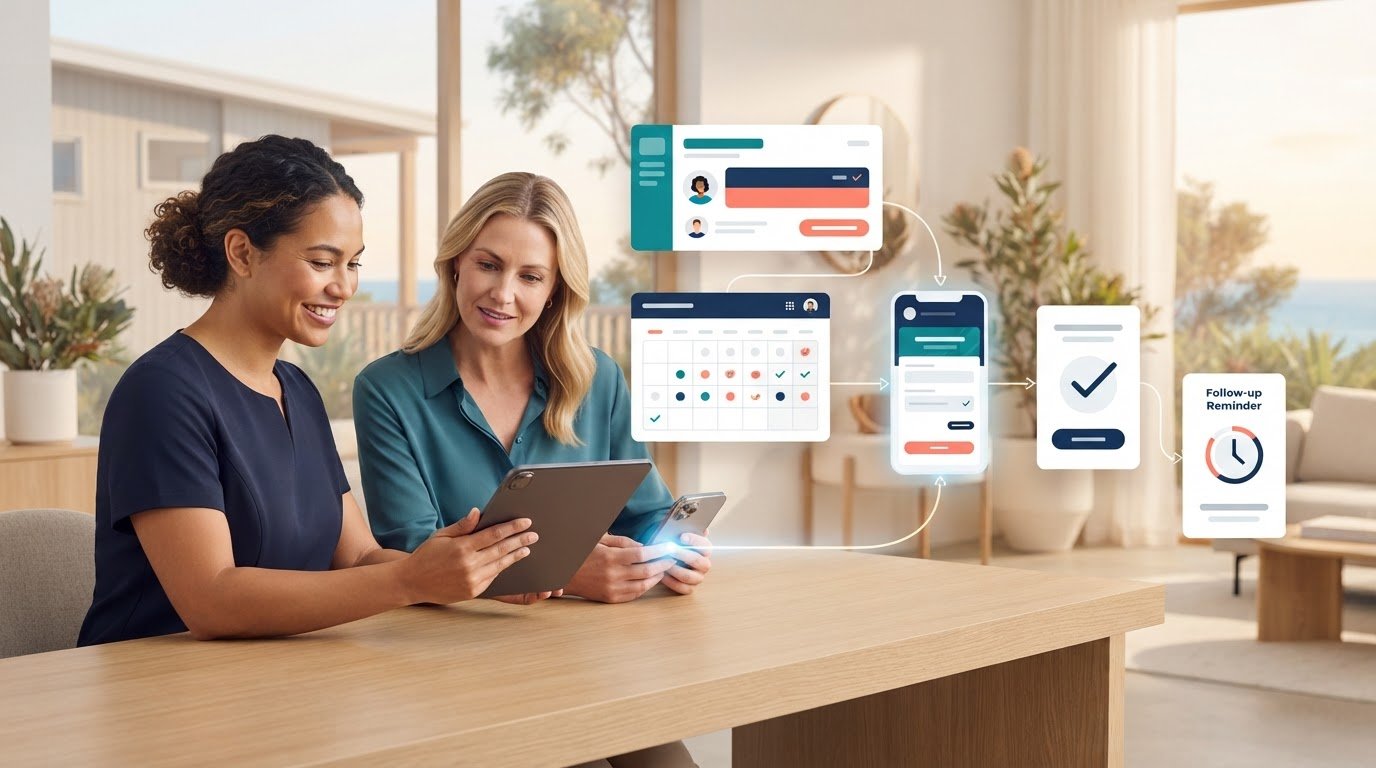
A booking tool can fill your calendar and still leave leads stranded in a separate system. For Australian service businesses, online appointment scheduling for service businesses works best when each booking moves smoothly from enquiry to customer record to follow-up, without creating more admin.
If calls, messages and manual calendar updates are still how appointments get arranged, you know the hidden cost: chasing details, sending reminders and sorting changes instead of serving customers. A clear online booking process makes it easier for customers to request or book a time and gives your team a better view of what’s coming up.
The right setup isn’t just about picking a familiar scheduler. It needs to fit how your business captures enquiries, manages appointments and follows up with potential customers. This guide compares the key options and criteria, from booking journeys and reminders to CRM connections and workflow fit, so you can choose a system that reduces repetitive work rather than adding another disconnected tool. You’ll also see how connected CRM and marketing systems can support the hand-off from booking to the next sales action.
Key Takeaways
- Distinguish a booking system from a shared calendar by checking whether it supports the full appointment process, not just time slots.
- Map each stage from enquiry to follow-up to find where staff re-enter details or switch between systems.
- Compare online appointment scheduling for service businesses by booking experience, availability, reminders, changes and customer-record handling.
- Set appointment types, durations, availability rules and booking responsibilities before rollout to keep the process manageable.
- Connect scheduling with lead capture and CRM workflows so bookings can feed into relevant customer follow-up.
Why online appointment scheduling matters for service businesses
When bookings arrive through calls, emails and messages, each appointment can mean checking availability, collecting details and updating a calendar. Online appointment scheduling for service businesses gives customers a clear way to choose or request a time, while helping staff manage the information behind each booking.
It’s more than sharing a calendar link. A shared calendar shows available times, but a scheduling process also gathers the details needed for the appointment, records the booking and explains what happens next. As appointment scheduling software comes in different forms, focus on how well the setup fits your day-to-day process, not simply how many features it lists.
That fit matters because disconnected booking creates avoidable admin. A staff member might take a call, check a calendar, reply by email, then enter the same customer details elsewhere. If plans change, someone needs to update the calendar and tell the customer. Clear availability and timely confirmations can reduce these back-and-forth steps and make booking easier for customers.
What does online appointment scheduling do?
A customer views available appointment times online and either submits a booking request or selects a time that’s confirmed automatically. These are different processes: a request may need staff approval, while an automatic booking is confirmed once the customer completes the required steps.
Staff also need a reliable view of appointments and useful details such as the customer’s contact information and reason for booking. Confirmation messages should make clear whether the appointment is requested or confirmed and give customers the details they need. Set up the process to match how your business manages appointments.
Which service businesses benefit from online booking?
Online booking can suit a range of services, from consultations and scheduled call-backs to on-site appointments. It works best when customers can understand what they’re booking and choose a suitable time. Clear appointment descriptions set expectations, while relevant details give staff context before they respond or attend.
Not every job should be confirmed automatically. An urgent request or a job with a variable scope may need a person to review the details first. In that case, online scheduling can capture the enquiry and preferred time, while staff assess the request before confirming the appointment. Choose a process that fits your service type, appointment length and booking volume. A short consultation may need a different setup from an on-site visit that requires more preparation.
How scheduling fits into the service-business customer workflow
A booking is one hand-off in a longer customer journey, not a task that ends when a time appears in a calendar. If booking details sit in one tool and customer records in another, staff may have to copy information across, check whether a lead was followed up and update appointment changes by hand. Map what should happen at each stage and decide who is responsible for it.
From first enquiry to a confirmed appointment
A booking page can collect contact details, the appointment type and a short reason for booking. Keep the questions relevant: useful context helps staff prepare, while unnecessary fields can make the form harder to complete. Set availability to reflect appointment length, staff schedules and which team members handle each type of booking.
Not every enquiry needs instant confirmation. For a straightforward consultation, a customer may select an available time and receive confirmation. If the request needs qualifying first, send it for staff review and make clear that the time is requested, not yet confirmed. This avoids mismatched expectations.
What should happen after a customer books?
Once a booking is accepted, the customer needs a clear record of the appointment, including its time, purpose and any useful preparation details. A reminder can keep the appointment visible, while a straightforward way to request a change can reduce avoidable calls and messages. Decide who monitors changes and incomplete requests so they don’t disappear into an inbox.
Booking details can also help build a useful customer or lead record. Attach the appointment to the right person, note what they’re interested in and record the next action. This gives the team context for follow-up instead of making them piece together the conversation again. A well-planned online appointment scheduling for service businesses process connects the booking to the next customer action rather than leaving it as an isolated calendar entry.
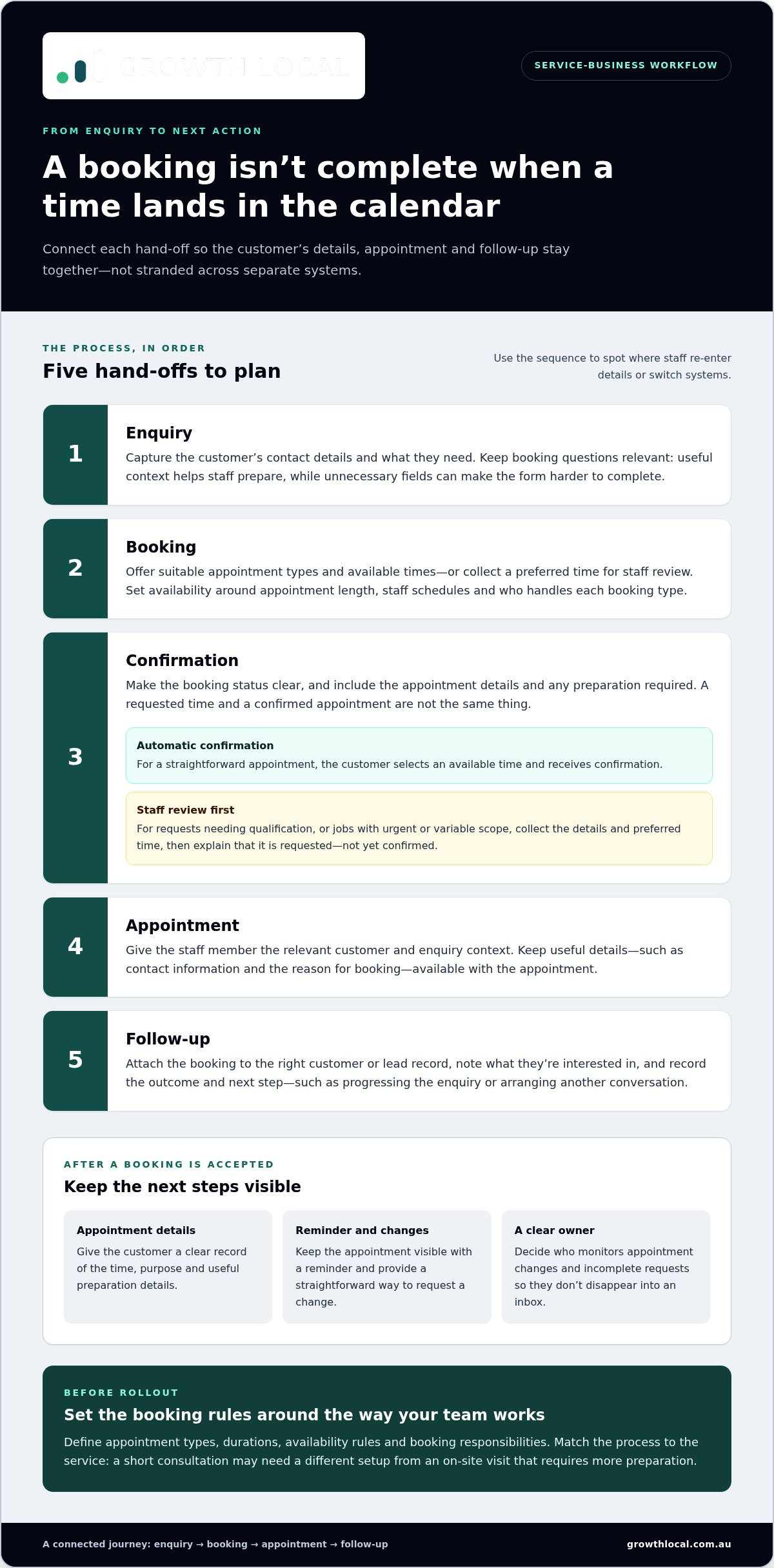
Map the hand-offs in order:
- 1. Enquiry: Capture contact details and what the customer needs.
- 2. Booking: Offer suitable appointment types and available times, or collect a preferred time for review.
- 3. Confirmation: Confirm the status, appointment details and any preparation required.
- 4. Appointment: Give the staff member the relevant customer and enquiry context.
- 5. Follow-up: Record the outcome and next step, such as progressing an enquiry or arranging another conversation.
Use this map to spot where staff re-enter details or switch systems. Resources such as Forbes’ guide to comparing scheduling apps can help you explore tools, but the right fit depends on how well booking connects to customer records and follow-up. Growth Local’s CRM setup helps service businesses organise customer information and connect it to lead workflows.
How to compare online appointment scheduling options
Compare the booking journey, not the length of a feature list. A system can look capable on paper but still leave staff checking calendars manually, copying customer details or chasing appointment changes. For online appointment scheduling for service businesses, start with the tasks your team needs to complete from the customer’s first booking step through to follow-up.
Use a simple comparison framework. Mark each requirement as essential or optional for your business, then assess how each option handles it in practice.
| What to compare | What to look for | Why it matters |
|---|---|---|
| Customer booking | Can customers understand appointment types, available times and what details to provide? | A clear process reduces confusion and helps customers choose the right booking. |
| Staff availability | Can the system reflect who is available and show appointments clearly to the right people? | Accurate visibility helps prevent clashes and unnecessary calendar checks. |
| Confirmations and reminders | Can customers tell whether a booking is confirmed and see the relevant appointment details? | Clear communication keeps customers and staff on the same page. |
| Changes and cancellations | Is there a straightforward way to manage a changed or cancelled appointment? | A consistent process helps prevent updates getting lost across messages and calendars. |
| Customer records | Can booking details be connected to the relevant customer or lead workflow? | Staff can use enquiry context for preparation and follow-up instead of re-entering it. |
Check the customer experience and reminders
Try the booking process on a mobile device as well as a computer. Appointment options should be easy to understand, available times should be clear, and the next step should be obvious. Check how confirmations, reminders, rescheduling and cancellations work, including what the customer is told at each point. A polished booking screen is less useful if staff still need to clarify the appointment afterwards.
Test calendars and customer-record handling
Assess how availability is maintained across staff calendars and what happens when a time becomes unavailable. Then follow a test booking through your customer-management workflow. Does the information reach the right record, or does someone need to copy it across? Check whether that record gives staff useful context for sales follow-up. For wider workflow planning, Growth Local’s sales workflow automation guide explores how connected processes can support service businesses.
Prioritise essentials such as accurate availability, clear booking details and a workable hand-off to customer records. Treat optional extras as secondary unless they solve a real problem. The best fit is the system that makes the full journey easier to manage, not the one with the most features.
How to choose and roll out scheduling without adding admin
A booking tool won’t save time if staff still need to patch gaps between it, existing calendars and customer records. Before making online appointment scheduling for service businesses the default, define how bookings should work from the customer’s first choice through to the team’s follow-up. A little preparation helps prevent duplicated data and unclear responsibilities.
What to prepare before introducing online bookings
Write down the practical rules your system needs to reflect. Keep the list focused on how appointments are delivered, what staff need to know and where booking information belongs.
- Appointment types and duration: Name each bookable service clearly and set the time needed for it.
- Availability and staff calendars: Identify who can take each appointment and how their availability is kept accurate.
- Service areas and conditions: For on-site appointments, note relevant coverage areas and any conditions customers need to understand before booking.
- Useful customer details: Ask only for information that helps staff prepare, assess the request or follow up.
- Connected systems: Map the calendars, customer records and marketing workflows that should receive or use booking information.
Also decide who monitors new requests, handles changes and follows up when an enquiry is incomplete. If an appointment needs review before it’s confirmed, build that hand-off into the process instead of leaving it to whoever happens to see the notification.
How to make adoption easier for customers and staff
Keep the customer’s choices straightforward. Use plain appointment names, show suitable availability and avoid loading the booking form with questions that don’t help deliver the service. Before launch, run a test booking from a customer’s perspective, then check the staff side: does the appointment appear in the right place, with enough detail to act on it?
Show staff how to monitor bookings, update changes and record follow-up. Trial the process before making it the main route, so the team can catch calendar clashes, unclear instructions or information gaps while they’re easy to fix. After launch, review booking problems and customer feedback. Refine the process where people get stuck or staff are still copying details manually.
A practical rollout connects the booking page to the way your team works. Growth Local helps Australian service businesses implement CRM and marketing systems that support connected lead capture and customer workflows.
Connect appointment scheduling with lead management through Growth Local
A booking is more valuable when it’s connected to the enquiry that came before it and the follow-up that comes next. If appointment details sit in a separate calendar, staff may need to re-enter customer information, work out who owns the lead and piece together what was discussed. A connected workflow gives the team a clearer path from first contact to next action.
That doesn’t mean every booking should be automatically confirmed or handled the same way. A straightforward consultation may move directly to a confirmed appointment, while an enquiry that needs review can be assigned to a staff member first. Make the hand-off visible, so each request has an owner and doesn’t get lost between inboxes, calendars and customer records.
Where CRM and automated lead capture fit
When a potential customer shares their details, a connected lead-generation and CRM process can help keep the enquiry and appointment context together. Instead of copying information between tools, staff can use the record to see what the customer needs, what’s been booked and what follow-up is due. Clear lead ownership also helps the right person act on an incomplete request or continue the conversation after an appointment. For a broader view of how enquiries enter a business, read the lead generation system setup guide.
Plan a scheduling workflow around the way your business operates
Before changing tools, map your current process: where enquiries arrive, who reviews them, how appointments are arranged and where the outcome is recorded. Mark each point where staff re-enter details or pass information to someone else. Those hand-offs show what your workflow needs to address.
Growth Local implements customised lead generation and marketing systems for Australian service businesses, including CRM setup and AI receptionist integration. This work connects lead capture and customer workflows around how your business operates, rather than assuming a particular scheduling product or feature set. The aim is practical: reduce repeated admin and make it easier to see what should happen next.
To plan a wider project, start by mapping your current hand-offs and the customer information your team needs at each stage. That gives you a clear basis for shaping a system around your business.
Make every booking part of a connected workflow
The right online appointment scheduling for service businesses setup should make booking straightforward for customers and manageable for your team. Compare options by how they handle availability, appointment changes and customer details, then map the hand-offs from enquiry to follow-up before rolling out a new process.
Most importantly, don’t let the booking calendar become another disconnected tool. When lead capture, appointment information and customer records work together, staff can spend less time re-entering details and more time acting on useful enquiries. Growth Local sets up customised lead generation and marketing systems for Australian service businesses, including CRM implementation and AI receptionist integration, with a focus on connected digital infrastructure and automated workflows.
Ready to build a booking process that fits the way your business operates?
Take the next step towards a smoother customer journey and a more organised day for your team.
Frequently Asked Questions
What is online appointment scheduling for a service business?
Online appointment scheduling for a service business lets customers view available times and book or request an appointment through a digital process. Unlike simply sharing a calendar, it can also collect relevant customer details and send booking information. Depending on how the business operates, an appointment may be confirmed automatically or sent to staff for review first.
Can online appointment scheduling work for mobile service businesses?
Yes, online scheduling can work for mobile service businesses if the booking process reflects how appointments are delivered. Set out relevant service areas, appointment types, availability and the details staff need to assess a request. For jobs with variable scope or travel considerations, collect the customer’s information and preferred time first, then have a team member review it before confirming the appointment.
How does online appointment scheduling reduce admin?
It can reduce the back-and-forth involved in checking availability, collecting booking details and updating calendars manually. Customers can submit their details through one process, while staff get a clearer view of upcoming appointments. Confirmation messages, reminders and a defined process for changes can also cut down on repetitive follow-up. The time saved depends on how well the workflow fits your existing systems and responsibilities.
What features should a service business look for in scheduling software?
Start with the essentials: clear appointment options, accurate staff availability, useful customer-detail fields, confirmations and a straightforward way to handle changes. Check that the booking journey is easy to follow on a mobile device, too. Then consider whether appointment information is visible to the right staff and can be connected to customer records. Prioritise features that solve real workflow problems over a long list of extras.
Does appointment scheduling software need to connect to a CRM?
Not every business needs a direct connection, but it can help if appointments are part of a sales or follow-up process. Linking booking details to the relevant customer or lead record can reduce repeated data entry and give staff context for the next conversation. If the tools don’t connect, decide who will add booking information to the CRM and when, so enquiries don’t fall through the cracks.
How much does online appointment scheduling cost for a service business?
The cost depends on the scheduling provider and plan, including factors such as the number of staff using it and the features required. Some tools offer a basic free option, while paid plans may include additional capabilities. Compare the total cost in Australian dollars and consider whether the system fits your booking volume, staff workflow and customer-record needs. Scheduling software costs are separate from implementation or CRM work.
What happens if a customer needs to reschedule or cancel?
That depends on the process you set up. Customers may be able to submit a change through the booking system or contact your team to request one. Make sure staff know who monitors changes and updates the calendar, and that the customer receives clear information about the revised appointment or cancellation. For bookings that need approval, confirm the change only after the team has reviewed availability.


